 Back
Overview01 / 11

Lead Management System
Designing a generalised Lead Management System from competitive research to shipped product.
- Domain
- Martech
- Designed for
- Web
- Team
- 1 UX Designer, 1 PM, 2 Developers
Lead Management System
Designing a generalised Lead Management System from competitive research to shipped product.
Problem: Every new client got a fully custom LMS. As demand grew, this became impossible to sustain.
What I did: Sole UX Designer on the team. Owned end-to-end design from scoping and research to shipped product, working with 1 PM and 2 developers across a 4-month build.
Outcome: V2 shipped to select clients with significantly improved data density and usability.
Sales ops had to reorient every time they switched client instances, new clients waited months for a setup, and every feature request had to be rebuilt across separate codebases.
The cost showed up as compounding overhead every time we said yes to a new client.
We weighed a cross-client dashboard, a shared feature library and a multi-tenant platform driven by configuration. Leadership chose multi-tenant: the biggest upfront investment, but the only option that solved the root problem. My job was to make configuration-driven behaviour feel like one coherent product, not a technical patchwork.
I audited our in-house LMS: a dated UI, dead-end navigation, no duplicate resolution, blunt access control, analytics living in an external dashboard, and no forms or automation.
I also studied Bigin, Attio, Pipedrive and HubSpot. Attio’s compact UI became the single most influential reference.
The modules came from what worked in our existing LMS and what was missing compared to the market. Some were carried over, some rebuilt, a few entirely new.
The hardest IA call: Campaign Management became a first-class module rather than a view inside Leads, because campaign owners and sales ops have different primary workflows.
Marketing teams ran campaigns across Google, Meta, LinkedIn, WhatsApp, VFN and walk-ins, so tracking was fractured. Each platform also defined a “campaign result” differently.
Three working sessions with the marketing team settled the V1 scope: source, status and lead volume per channel. Platform-specific metrics were deferred to V2.
Teams captured leads through Google Forms, Tally and Microsoft Forms. None of the competitor LMS platforms had native forms either, so bringing them in-house took one more disconnected tool out of a sales rep’s workflow.
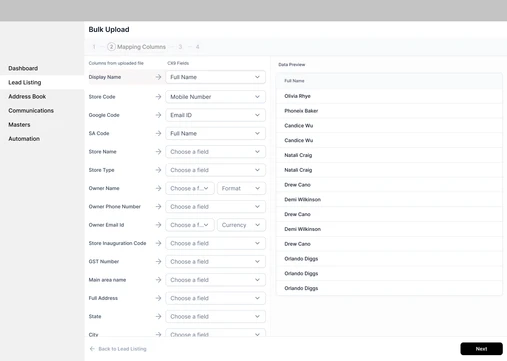
Built alongside forms, so leads can be added at scale rather than one at a time.
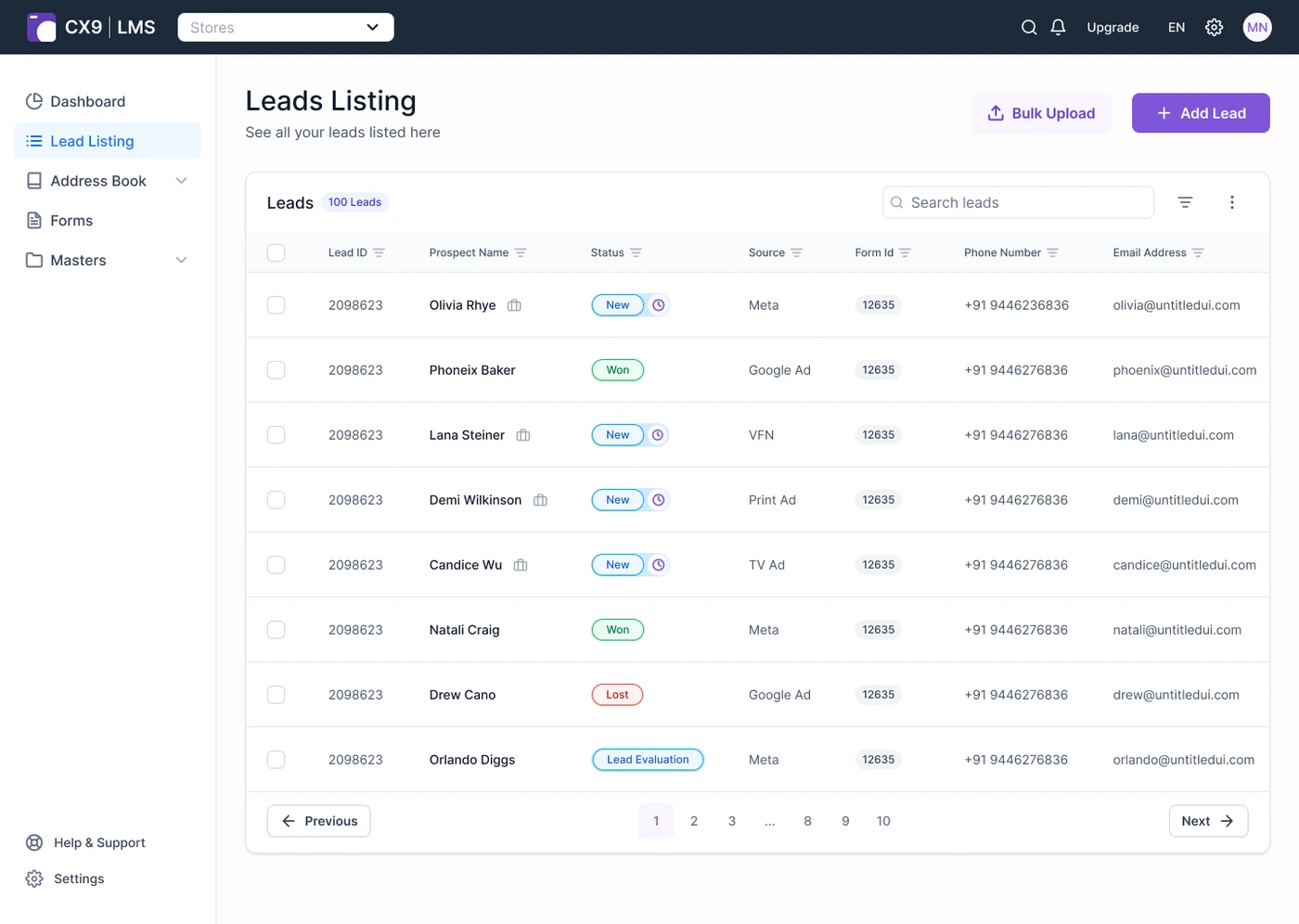
After V1 shipped, rows were too tall: users saw 4–5 rows of data instead of 8–10. Taking the cue from Attio, we reduced component height and padding across the board.
V2 is live with 4 clients, and a new client setup that used to take months now takes 2 weeks.
Lead Management System
Designing a generalised Lead Management System from competitive research to shipped product.
Domain:
Martech
Designed For:
Web
Team:
1 UX Designer,1PM,2 Developers
TL;DR
Problem: Every new client got a fully custom LMS. As demand grew, this became impossible to sustain.
What I did: Sole UX Designer on the team. Owned end-to-end design from scoping and research through to shipped product working along 1PM and 2 Developers across a 4 month build.
Outcome: V2 shipped to select clients with significantly improved data density and usability.
CHALLENGE
We had built multiple specialised LMS platforms for our clients.
This created three compounding problems:
The cost of this wasn't visible in any single project. It showed up as compounding overhead every time we said yes to a new client.
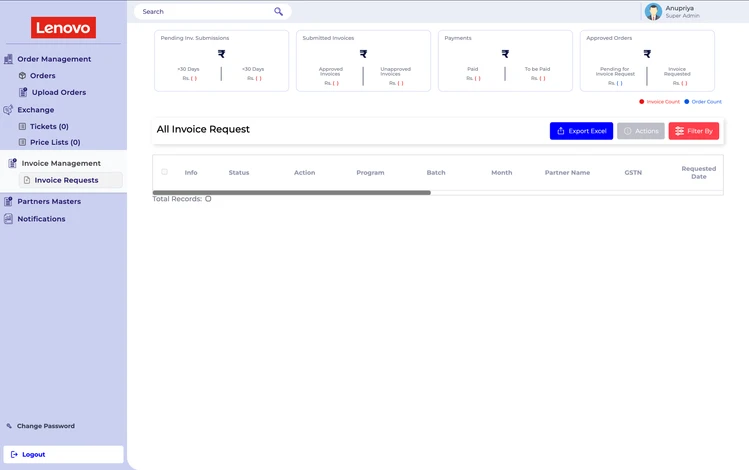
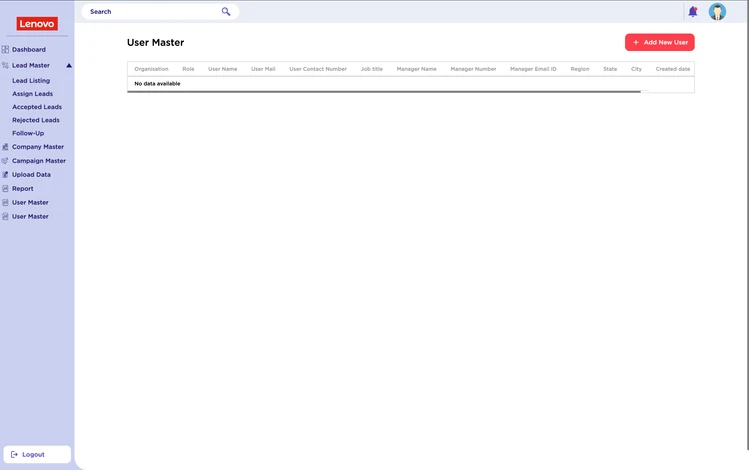
*client name & data removed
Two separate LMS instances, each built for a different client. Same core functionality, zero shared code.
EXPLORING SOLUTIONS
We weighed three approaches:
Leadership and the PM decided on the multi-tenant approach — it required the highest upfront investment but was the only option that solved the root problem rather than patching around it. My role from this point was to translate that architectural decision into a usable product: working out how configuration-driven behaviour would actually surface in the UI, without making the experience feel fragmented or overly technical for any single client.
Structuring it like a SaaS product also makes onboarding and acquiring new clients significantly easier.
... BUt WHY BUILD a custom LMS?
There are plenty of LMS in the market so why build an LMS from scratch?
We have deep integrations into our clients proprietary systems and access to years of data across different formats, making it challenging to migrate.
The strategy became clear: build a generalised LMS derived from our existing one, but bring it up to the standard of modern LMS products.
From a design standpoint, this also gave us something off-the-shelf tools couldn't: the ability to shape the entire experience around how our clients actually work, rather than adapting their workflows to someone else's product logic."
So I explored.
I audited our existing in-house LMS and explored competitor products to understand the gap.




Bigin by Zoho
It covered the critical features without overwhelming the user, which validated our decision to prioritise a clean, focused experience over feature bloat.
Attio
Attio's compact UI was the single most influential reference in this project. It proved that high data density and clean visual design weren't at odds — a lesson that came back directly when we identified row height as V1's biggest usability flaw.
Pipedrive
feature-rich and functional, but the least polished UI of the four.
HubSpot
The industry benchmark, included as a reference for table structure and pipeline conventions.
These findings, combined with conversations with our marketing team about how campaigns actually run, shaped which modules needed to exist and how they should connect.
PRODUCT STRUCTURE
The module set drew from two sources: what worked in our existing LMS, and what was missing relative to the market. Some modules were carried over, some were rebuilt, and a few were entirely new.
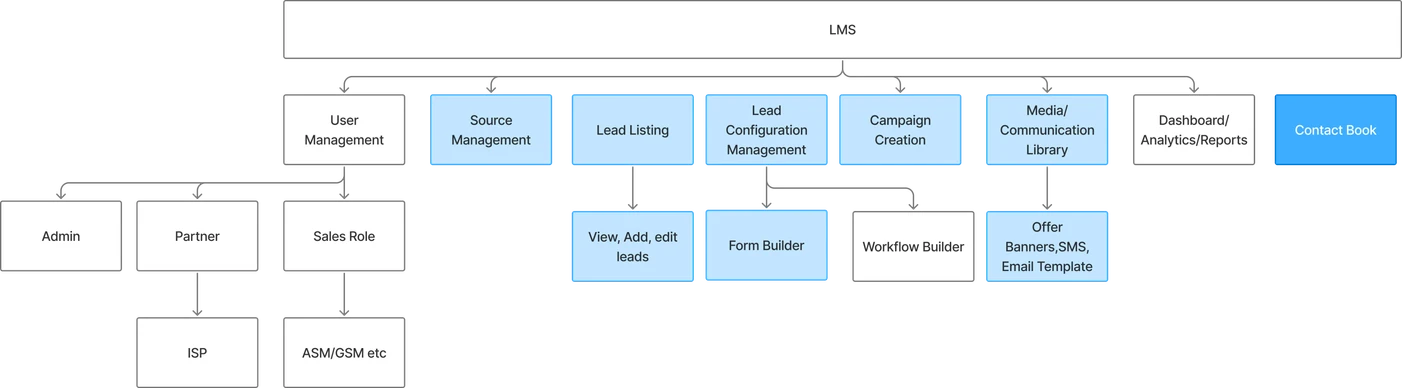
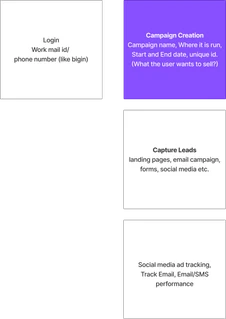
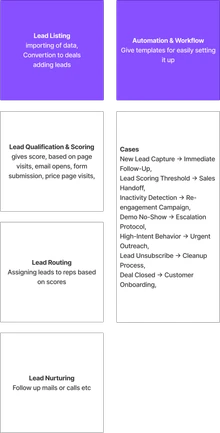
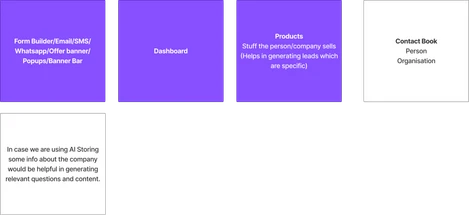
The hardest IA call was deciding what lived at the top level vs. what was nested inside a module. Campaign Management was particularly tricky, it could have been a view inside Leads, or its own primary section. We made it a first-class module because campaign owners and sales ops have different primary workflows; collapsing them into one section would have forced awkward compromises on both navigation and permissioning.
Building Campaign
The campaign management module is a new concept in a LMS. When a marketing team runs a campaign they have to run and track it across different platform. This gives rise to a fractured view point, we wanted to consolidate it.
I collaborated with our marketing team to figure out how a campaign works across different platform like Google, Meta, LinkedIn, WhatsApp, VFN, Walk-in etc
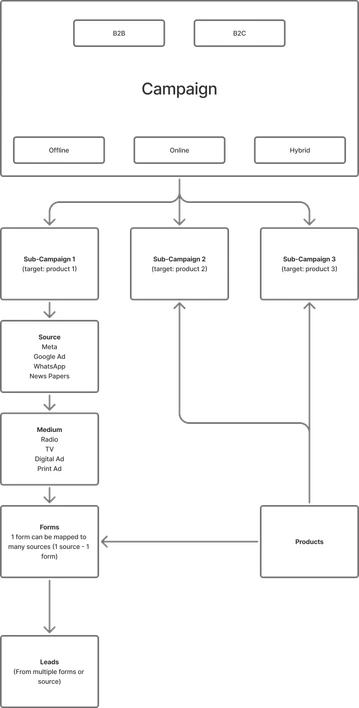
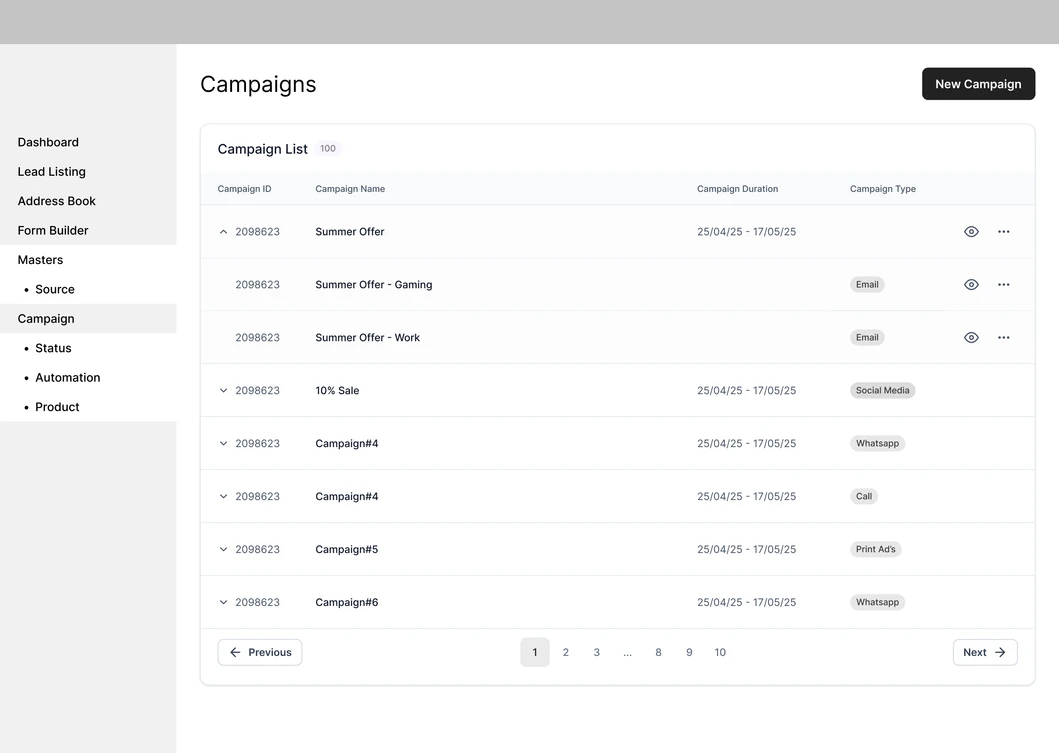
The scope wasn't obvious upfront. Early in the build, it became clear the module's requirements were more complex than initially scoped different platforms had different data structures and different definitions of what counted as a "campaign result."
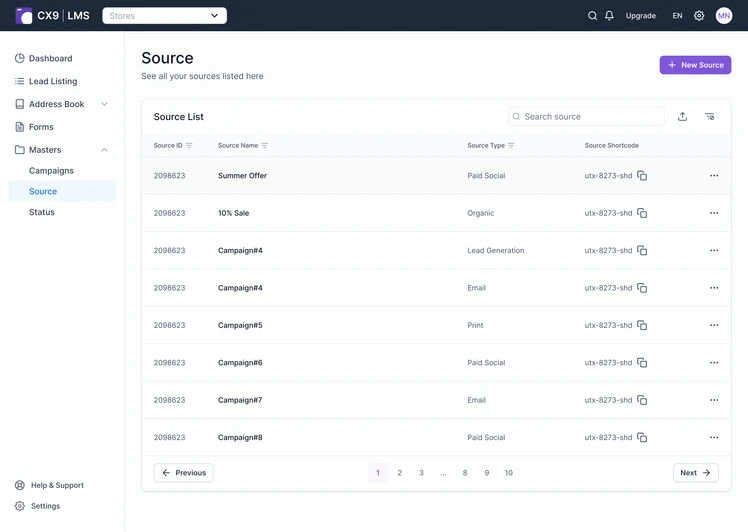
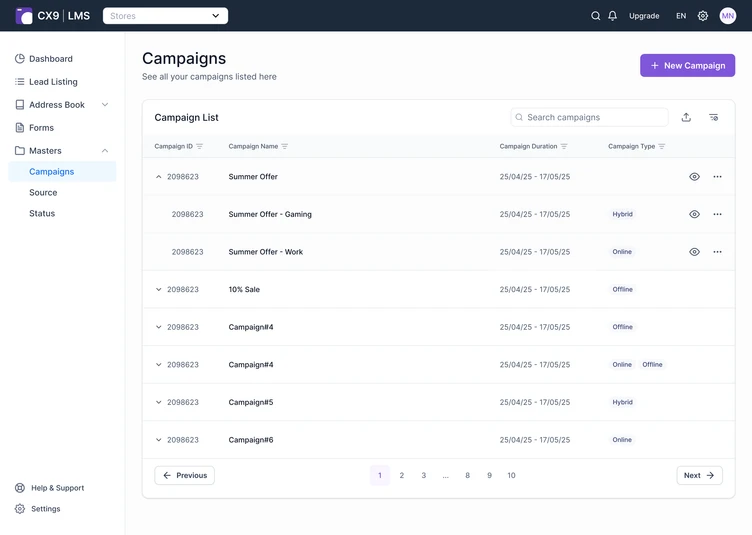
We resolved this by running three working sessions with the marketing team, mapping their actual campaign workflow step by step. What emerged was a clear first-version scope: track campaign source, status, and lead volume per channel. Granular platform-specific metrics click-through rates, cost-per-lead by sub-campaign were explicitly deferred to V2, documented in a scope decision we shared with the PM and stakeholders.
Form Builder
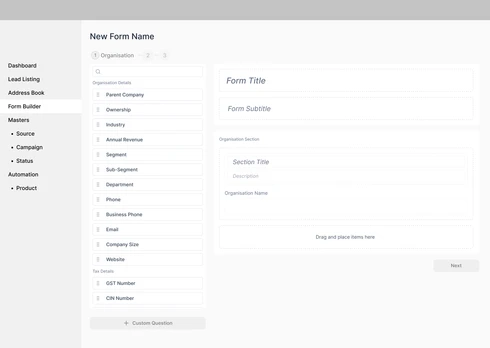
Teams were relying on external tools — Google Forms, Tally, Microsoft Forms — to capture leads, which fragmented the experience across systems. None of the competitor LMS platforms we evaluated had native form-building either. Bringing this in-house meant one less disconnected tool in a sales rep's workflow.
Bulk Import
Built alongside forms, to support adding leads at scale rather than one at a time.
To build or not to build
Good scoping is as much about subtraction as addition. A few calls made during this phase:
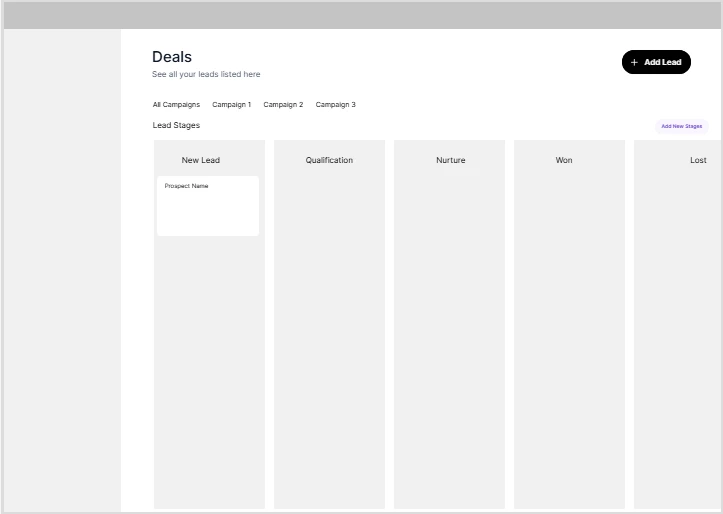
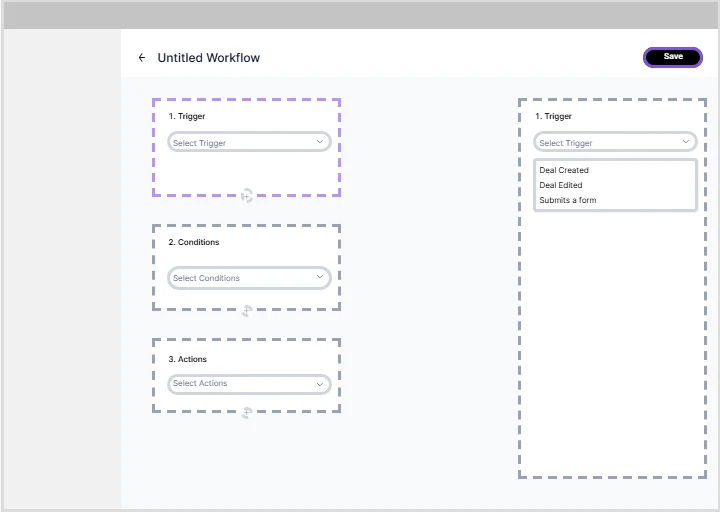
Deferred after validating that existing clients tracked deals externally. Introducing this in V1 would have added complexity without addressing their actual pain
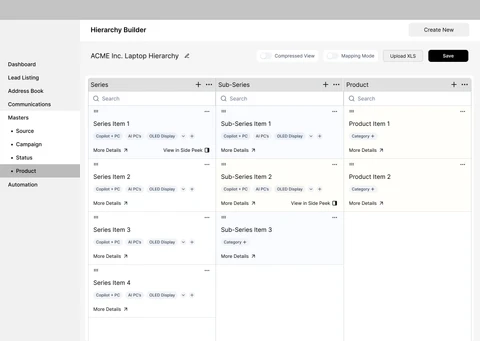
The products module grew complex enough during wireframing that it warranted its own product. Spinning it off kept the LMS focused.
Cut in V1 after scoping revealed the build cost was high relative to how often clients would actually use it. Flagged for V2 if demand grows.
FIXING FLAWS
After V1 shipped to select clients, a clear usability problem emerged: component height.
Table rows and cells were too tall, which meant users could only see 4–5 rows of data at a time instead of the expected 8–10 — and the problem got worse on smaller screens.
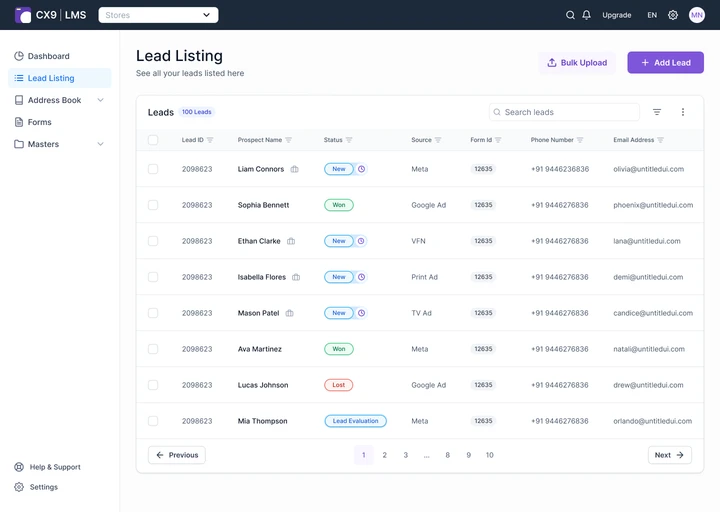
V1
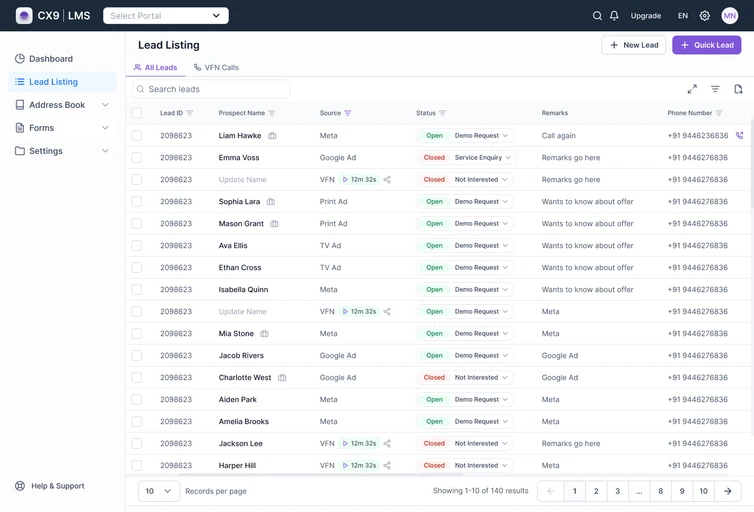
V2
This was one of the places where the Attio reference paid off directly. Its compact UI proved that dense data didn't have to mean cluttered. We reduced component height and padding across the board, resulting in a noticeably more compact, scannable layout, without changing the underlying information.
V2 is currently live with 4 clients. Anecdotally, onboarding new clients has become significantly faster: the configuration-driven architecture means a new client setup that previously took months can now be completed in 2 weeks.